
The best iOS widgets for privacy-conscious fitness tracking in 2026 read your step data locally on your device, never send it to a cloud server, and give you a clean glance at your progress without pulling you into a social feed. If that's what you're looking for, here are the top options worth your attention:
- Steps Widget by Crazylazy — reads Apple Health data on-device, supports Home Screen, Lock Screen, Apple Watch, and StandBy mode, with customizable progress rings, hourly bar charts, and tinted color themes
- Apple Fitness Rings widget — built-in, local, and reliable for Apple Watch users who want activity ring progress at a glance
- Widgetsmith — broad customization with Apple Health integration, no social layer, works across Home and Lock Screen
Privacy matters here because your step count is health data. Apps that push it to external servers or tie it to social accounts expose information you probably never intended to share. The options above keep everything on your iPhone.
What are the best iOS widgets for fitness tracking in 2026?
The strongest pedometer and fitness widgets in 2026 share a specific set of capabilities that separate genuinely useful tools from ones that just look good in screenshots.
- Accurate Apple Health sync — the widget pulls step count directly from Apple Health, so your iPhone and Apple Watch data stay consistent without manual input
- Multiple widget sizes and placements — small, medium, and large formats for the Home Screen, circular accessories for the Lock Screen, and full-panel views for StandBy mode
- Local data processing — no account required, no cloud sync, no third-party analytics attached to your Health data
- Dynamic, automatic updates — living widgets refresh on a schedule through WidgetKit, showing your current step count without you tapping anything
- Battery-efficient refresh scheduling — WidgetKit gives each widget a refresh budget, so your battery isn't drained by constant polling
- Customizable visual styles — progress rings, bar charts, minimal number displays, and tinted color schemes that match your wallpaper
Steps Widget by Crazylazy covers all of these. It offers multiple display styles including progress rings and hourly bar charts, supports iOS 18 tinted widget color schemes, and processes everything locally.
What makes a pedometer widget truly privacy-conscious?
Privacy in a fitness widget comes down to one question: where does your Health data go after the app reads it?
- On-device reading only — the app accesses Apple Health through HealthKit and displays the data locally, with no transmission to external servers
- No account or sign-in required — apps that require an account before showing your steps are routing data somewhere; local-only apps don't need one
- Minimal permissions — a pedometer widget needs read access to step count data and nothing else; be cautious of apps requesting location, contacts, or camera access
- No social integration — leaderboards and friend comparisons require your data to leave the device; privacy-focused apps skip these entirely
- Transparent privacy policy — check that the app explicitly states it does not sell or share Health data with third parties
Steps Widget by Crazylazy is built around this model. It reads Apple Health data locally, requires no account, and has no social layer. That design keeps your walking habits yours.
Pro Tip: Before installing any fitness widget app, go to Settings > Privacy & Security > Health on your iPhone and review exactly which data categories the app has requested. A step counter needs only "Steps" under Activity. Anything beyond that is worth questioning.
How iOS 26 upgrades your fitness widget experience
iOS 26, released in September 2025, brought the most significant visual and functional widget changes since iOS 14. For fitness tracking specifically, several updates matter.
- Liquid Glass design — widgets now use a translucent, layered material that picks up colors from your wallpaper, giving your Home Screen a cohesive look without extra configuration
- Lock Screen widget expansion — iOS 26 supports up to four small widgets below the time and one larger widget above it, giving step count a permanent visible spot without unlocking your phone
- Interactive widgets — building on the interactivity introduced in iOS 17 and refined through iOS 18, interactive fitness widgets let you check progress and trigger quick actions without opening the app
- StandBy mode support — when your iPhone charges on its side, full-panel fitness widgets display your step count and progress rings in a nightstand-friendly format
- Tinted widget color schemes — introduced in iOS 18 and carried into iOS 26, tinted widgets let you match your pedometer widget's color to your wallpaper palette
- Real-time ring and step updates — WidgetKit's refined refresh scheduling keeps fitness data current while protecting battery life
Steps Widget by Crazylazy supports StandBy mode, tinted color customization, and the Liquid Glass aesthetic, so it fits naturally into an iOS 26 setup.
How to choose and set up the right pedometer widget for your iPhone
Picking the right widget takes about five minutes if you know what to check. Setting it up well takes another five.
- Read the privacy policy first — look for explicit language about local processing and no third-party data sharing before you grant Health access
- Match widget size to your screen layout — a small widget works for a single step count number; a medium widget fits a progress ring plus a daily goal; a large widget suits a full hourly bar chart
- Configure color and style — in Steps Widget, you can choose from progress rings, bar charts, minimal displays, and tinted themes; pick the style you'll actually glance at daily
- Limit your Home Screen to three or four widgets — cluttered screens cause decision fatigue; your fitness widget earns its spot by passing the glance test: you see your step count in under two seconds
- Use widget stacking carefully — stacking two or three related widgets in the same space works well, but over-stacking loses the glance value that makes fitness widgets useful
- Set up on-device step reminders — Steps Widget includes on-the-go reminders that nudge you to move without sending any data off your device
- Add the widget to your Apple Watch — for continuous wrist-level awareness, add the Steps Widget complication to your watch face alongside your activity rings
Pro Tip: Use iOS 26 widget interactivity to check your step progress directly from the Home Screen without opening the app. Fewer app launches means less distraction, and you're more likely to stay aware of your movement goal throughout the day.
Which privacy-focused fitness widgets offer the most unique benefits?
The fitness widget space in 2026 has a clear split between apps built around privacy and apps built around engagement. The privacy-first options each have a distinct strength.

Steps Widget by Crazylazy is the most focused option for pure pedometer tracking. It does one job well: showing your Apple Health step count in a clean, customizable widget across every iOS surface. No social features, no account, no cloud. The Apple Watch integration means your step count is visible on your wrist and your Home Screen simultaneously.
Apple Fitness Rings is the built-in choice for Apple Watch users. It shows move, exercise, and stand rings locally, requires no third-party app, and updates automatically. Its limitation is that it shows ring progress rather than raw step count, which matters if steps are your primary metric.
Widgetsmith offers broader customization with Health integration, supporting activity data alongside calendar, weather, and photos. It's the right pick if you want a single app managing multiple widget types, though its feature depth means a longer setup time than a dedicated pedometer app.
Which iPhone and Apple Watch models support pedometer widgets?
Compatibility is straightforward for most users in 2026, but a few details are worth knowing before you install.
Steps Widget by Crazylazy requires iOS 18 or later, which covers iPhone XS and newer. The Apple Watch complication works with watchOS 7 and later, covering Apple Watch Series 3 and newer. StandBy mode requires iOS 17 or later on any MagSafe-compatible iPhone. Tinted widget color customization requires iOS 18 or later.
The Lock Screen widget placement, with up to four small accessories below the time, is available on all iPhones running iOS 26. Interactive widget capabilities require iOS 17 or later. If you're on an older device still running iOS 16, you'll have Home Screen widget support but will miss the interactive and tinted features.
How accurate are privacy-focused pedometer widgets compared to other options?
Accuracy in a pedometer widget depends on the data source, not the widget itself. Every widget that reads from Apple Health is working from the same pool of sensor data that Apple's motion coprocessor collects. The M-series coprocessors in current iPhones use accelerometer and gyroscope data to count steps, and Apple Health aggregates this with Apple Watch data when both devices are active.
The practical result: a privacy-focused widget that reads directly from Apple Health will show the same step count as any other app reading the same source. The difference between apps is not accuracy but what they do with the data afterward. Apps that sync to external servers introduce a potential discrepancy if the sync fails or lags. Local-only apps like Steps Widget display whatever Apple Health holds in real time, with no intermediate step where data could be lost or delayed.
What do real users say about privacy-focused pedometer widgets?
Steps Widget by Crazylazy carries a consistent theme in user feedback: people appreciate the simplicity and the absence of social pressure. The app is designed for users who want to stay aware of their movement without competing with others or being pushed toward a leaderboard. That design choice resonates with people who found full-featured fitness apps overwhelming rather than motivating.
The Apple Fitness Rings widget draws similar feedback from Apple Watch users who want a quick progress check without opening the Fitness app. Its limitation, as users note, is that it doesn't show raw step count, only ring completion percentage.
Widgetsmith users tend to value its flexibility, though the setup process is more involved than a dedicated step counter. For users whose primary goal is private, glanceable step tracking, the added complexity of a multipurpose customization app isn't always worth it.
Steps Widget by Crazylazy fits exactly this need
If you've read this far, you're looking for a pedometer widget that respects your Health data, works across your iPhone and Apple Watch, and doesn't pull you into a social fitness ecosystem. That's precisely what Crazylazy built Steps Widget to do.
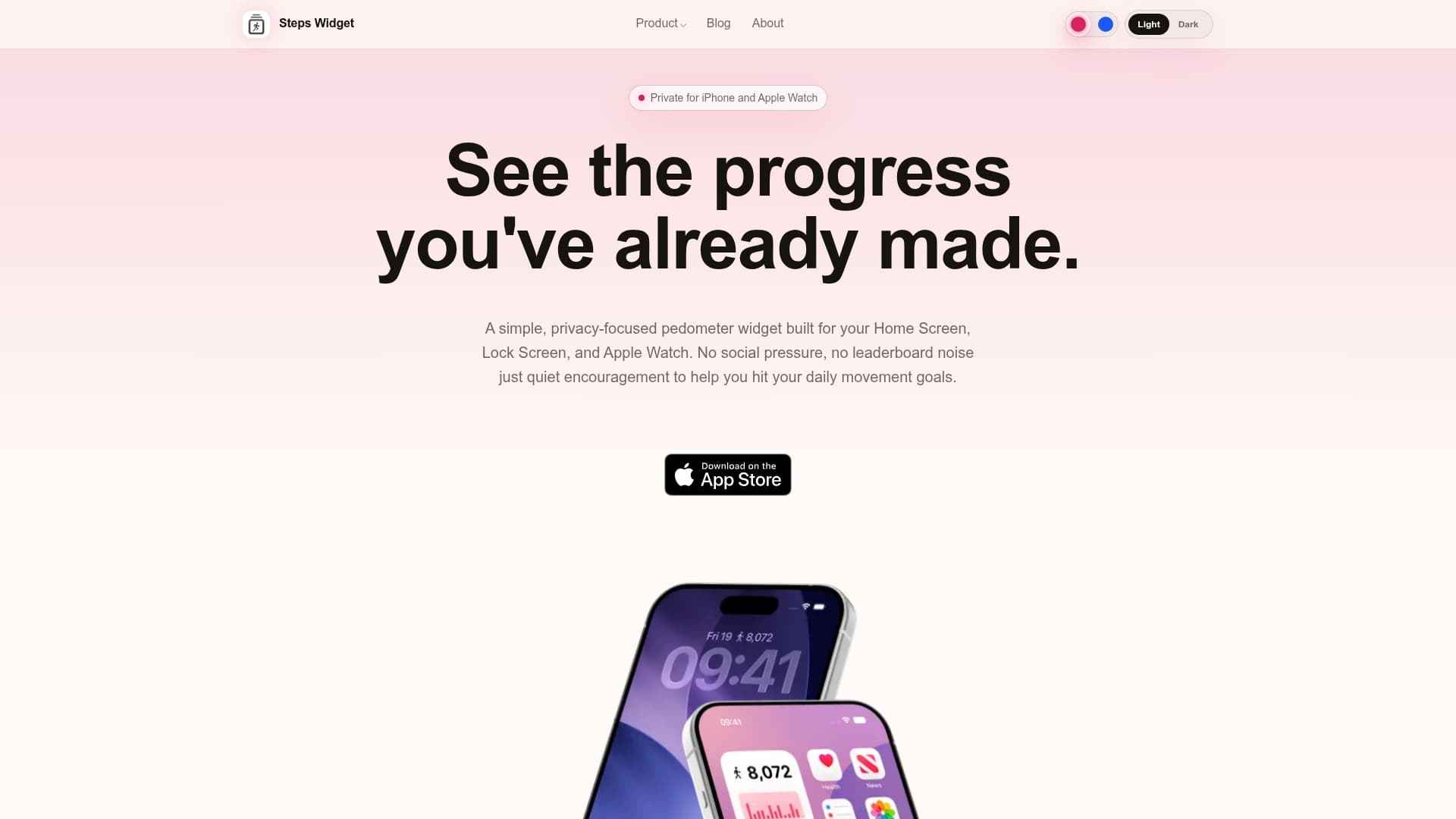
Steps Widget reads your Apple Health step data locally, displays it in your choice of progress rings, hourly bar charts, or minimal number formats, and supports every major iOS surface: Home Screen, Lock Screen, StandBy, and Apple Watch. The tinted color customization and Liquid Glass compatibility mean it looks at home on an iOS 26 setup. There's no account to create, no data leaving your device, and no subscription required to use the core features. You can download Steps Widget from the App Store and have it on your Home Screen in under two minutes.
Key Takeaways
Privacy-focused pedometer widgets that read Apple Health data locally give you accurate step tracking without exposing your health information to third-party servers or social platforms.
| Point | Details |
|---|---|
| Local data processing | The best pedometer widgets read Apple Health data on-device with no cloud sync or account required. |
| iOS 26 widget surfaces | Lock Screen supports up to four small widgets below the time, plus one larger widget above it. |
| Glance test rule | Limit your Home Screen to three or four essential widgets to avoid decision fatigue and keep fitness data readable. |
| Accuracy source | All Apple Health-connected widgets draw from the same motion coprocessor data, so accuracy depends on the data source, not the app. |
| Crazylazy Steps Widget | Steps Widget offers local Apple Health step tracking with customizable styles across Home Screen, Lock Screen, StandBy, and Apple Watch. |
Recommended
Try Steps Widget
Keep your daily steps visible on iPhone, Lock Screen, Home Screen, and Apple Watch with a private Apple Health step counter widget.
Back to home