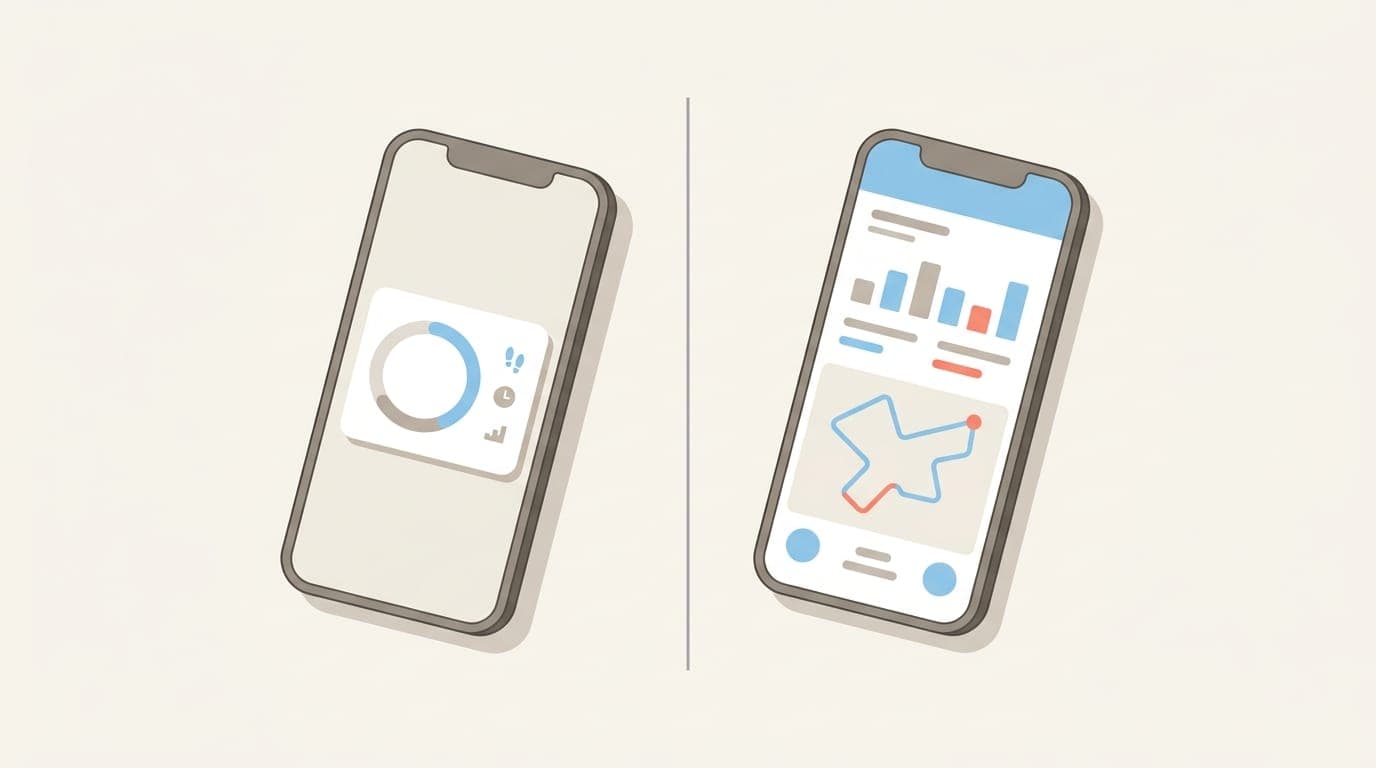
Short answer: these apps solve different problems. Pedometer++ is the better step tracker, with over a decade of development behind it, deeper stats, route mapping, and workout tracking. Steps Widget is the better move reminder, because it nudges you when you have actually been sitting and lets you control how that nudge looks and sounds.
If your problem is "I want to track my walking properly," pick Pedometer++. If your problem is "I sit at a desk for six hours without noticing," pick Steps Widget.
This post is written by the developer of Steps Widget, so treat the verdict accordingly — but every fact below is sourced from each app's own published documentation, checked in July 2026.
Steps Widget vs Pedometer++ at a glance
| Steps Widget | Pedometer++ | |
|---|---|---|
| Made by | CrazyLazy OU | Cross Forward, Inc. |
| Focus | Move reminders, with a step widget | Step tracking, in depth |
| Activity-aware move reminders | Yes, timed by an on-device model | Not listed in its feature documentation |
| Custom reminder look and sound | Yes | Not applicable |
| Home Screen widgets | Yes | Yes |
| Lock Screen widgets | Yes | Yes |
| StandBy mode | Yes | Not documented |
| Apple Watch app | Yes, with standalone goal reminders | Yes, with workouts and complications |
| Step history and streaks | Basic daily and hourly view | Deep history, streaks, badges, Rest Days |
| Route mapping and GPX | No | Yes, including offline maps |
| Workout tracking | No | Yes, on iPhone and Watch |
| Wheelchair push counting | No | Yes, with an Apple Watch |
| Data export | Not documented | CSV and .steps export |
| Ads in the free tier | No | Yes, removed by Premium |
| What is behind the paywall | Widget appearance only; reminders are free | Functional features: offline maps, Expedition Mode, Live Activities |
| One-time unlock option | Yes | No, subscription only |
| Device support | Recent iPhone and Apple Watch only | Reaches back to older hardware |
| Account required | No | No |
What does Pedometer++ do better?
A lot, and it would be dishonest to pretend otherwise.
Pedometer++ has been shipping since 2013, and that longevity shows up everywhere in the product. It tracks steps, walking distance, flights of stairs, active calories, and heart rate. It keeps full step history with streaks, badges, and monthly challenges, and it has a Rest Day system that protects your streak after six successful days, which is a genuinely thoughtful piece of habit design.
It also does things Steps Widget does not attempt at all:
- Route planning and hiking. Import GPX files, build your own routes, see elevation changes, and download offline map data for areas without cell service.
- Workout tracking on both iPhone and Apple Watch, written back to Apple Health.
- Expedition Mode, which extends Apple Watch battery life on long walks by reducing heart-rate polling. Their testing reports up to 40 percent improvement.
- Wheelchair Mode, which counts pushes instead of steps when paired with an Apple Watch. This is real accessibility work and Steps Widget has no equivalent.
- Data export to CSV or a
.stepsfile you can import on another device.
There is one more advantage worth naming clearly, because it affects the number you see every day. Pedometer++ merges Apple Health data with its own algorithm and picks whichever device better captured your activity. Their documentation notes this means pushing a stroller or holding a dog leash will not wreck your count. Steps Widget reads Apple Health directly without that reconciliation layer, so on those specific edge cases Pedometer++ will be more accurate.
Finally, the track record. Pedometer++ has been refined over more than a decade and is one of the most established step counters on iOS. Steps Widget is a much newer app. If you want the safe, proven choice, that is Pedometer++.
So what does Steps Widget do differently?
One thing, deliberately: it tries to interrupt you at the right moment.
Steps Widget was built by a developer who kept losing entire afternoons to a screen. The problem was never a lack of step data — it was that no amount of step data makes you stand up. So the app is built around the reminder rather than around the tracking.
The nudge is timed by what you actually did. A model running on your iPhone learns your daily activity pattern and stays quiet during hours you already moved. A fixed hourly alarm buzzes regardless, which is exactly why most people mute them. You can read more on why hourly stand-up reminders fail.
You control how the reminder behaves. Its appearance and its sound are both yours to set. This sounds cosmetic and is not: the wrong alert during a focus block is the single most common reason a movement reminder gets switched off in week two.
Everything runs on device. The model lives on your iPhone, Apple Health is read with permission, and nothing is uploaded for processing. No account, no cloud sync, no leaderboard.
The Apple Watch app is standalone. Goal reminders fire from the wrist even when your iPhone is in another room.
Does Pedometer++ have move reminders?
Based on its own published feature documentation as of July 2026 — the Pedometer++ homepage, its detailed FAQ, and its App Store listing — no sedentary or move reminder feature is described. The FAQ is unusually thorough, covering timezone handling, floor counting, wheelchair mode, and streak mechanics, so an omission there is meaningful.
Pedometer++ does have goals, streaks, and badges, which are motivational tools. They are not the same as a notification that arrives because you have been sitting for ninety minutes. If we have this wrong, we will correct it — email us and we will update the post.
It is worth adding that Apple Watch has its own built-in stand reminder, which nudges you roughly once an hour if it has not detected standing. That covers some of the same ground, though it is time-based rather than activity-aware, and it only works if you wear the watch. We wrote more about why Apple Watch stand reminders miss real sitting time.
How do the two apps compare on price?
The shape of the two models differs more than the numbers do, so here is the structure rather than figures that go out of date. Check each App Store listing for current pricing.
Pedometer++ is free with ads in the free tier. Premium is a subscription — monthly or yearly, with a trial and Family Sharing — and it removes the ads while unlocking Expedition Mode, Live Activities, live and offline maps, Maps on Apple Watch, and premium app icons. There is no one-time purchase option; if you want the paid features, you subscribe.
Steps Widget is free with no ads at any tier. The important part: the move reminders are free, including their settings and schedule. Nothing that makes the app work sits behind a paywall. The paid unlock only changes how the widget looks — extra styles and colours — and you can buy it once or subscribe.
Three differences matter and none depends on the current price:
- Ads. Pedometer++ shows them in the free tier. Steps Widget does not, at any tier.
- What is gated. Steps Widget puts only cosmetics behind payment. Pedometer++ Premium gates functional features like offline maps and Expedition Mode.
- A way out of subscriptions. Steps Widget's one-time purchase means you never have to subscribe. Pedometer++ Premium has no equivalent.
Steps Widget is the cheaper app on both its one-time and subscription options. But price is the wrong way to choose here. If you will genuinely use route mapping, offline maps, and workout tracking, Pedometer++ Premium is fair value for a much larger app. Paying less for software that does not solve your problem is not a saving.
Which app is more accurate?
For most people, identically accurate, because both read the same source. Your iPhone counts steps on a dedicated low-power motion coprocessor and stores the result in Apple Health, and both apps read from there.
The difference appears at the edges. Pedometer++ adds a reconciliation layer that decides whether your iPhone or your Apple Watch better captured a given period, which helps in the specific situations where wrist tracking fails — pushing a stroller, holding a leash, gripping a shopping trolley. Steps Widget reads Apple Health as-is.
If day-to-day step precision is your priority, that layer is a real advantage. We covered the underlying sensor behaviour in how accurate Apple Watch steps really are.
Which devices does each app support?
This is the clearest case where Pedometer++ wins on availability.
Steps Widget targets recent releases of iOS, iPadOS, watchOS, and visionOS. That keeps the app small and lets it use current widget APIs, but it does exclude older hardware.
Pedometer++ supports a wider range and reaches further back on both iPhone and Apple Watch. On older hardware, Pedometer++ may be your only option of the two. Check the current requirements on each App Store listing before you commit.
Choose Pedometer++ if
- You want the most capable step tracker, full stop.
- Step history, streaks, badges, and long-term stats matter to you.
- You hike, walk routes, or want GPX import and offline maps.
- You want workout tracking on your iPhone or Apple Watch.
- You need wheelchair push counting.
- You want to export your data.
- You want maximum step accuracy when your hands are occupied.
- You are on an older iPhone or Apple Watch.
- You want the longer, more established track record behind your choice.
Choose Steps Widget if
- Your real problem is sitting too long, not counting steps imprecisely.
- You want a reminder that stays quiet on hours you already moved.
- You have muted every other stand reminder because the alert was wrong for you.
- You want to set how the nudge looks and sounds.
- You want no ads, and the option to pay once rather than subscribe.
- You want your activity pattern processed on device and nowhere else.
- You want a step count on the Home Screen, Lock Screen, StandBy, and Apple Watch without opening a fitness app.
Can you use both?
Yes, and for some people that is the right answer. Both read from Apple Health rather than tracking independently, so running both costs you almost nothing in battery and there is no data conflict — Apple Health remains the single source.
A reasonable setup is Pedometer++ for history, streaks, and weekend walks, with Steps Widget handling the weekday desk problem. If that sounds like two apps doing one job, it is worth being honest that it is, and most people will prefer to pick one.
Frequently asked questions
Is Pedometer++ free? The core features are free, but the free tier includes ads. Pedometer++ Premium is a subscription that removes ads and unlocks Expedition Mode, Live Activities, offline maps, and premium icons. There is no one-time purchase option.
Does Steps Widget require a subscription? No. The app is free to download, shows no ads, and the move reminders are entirely free including their settings. The optional paid unlock only changes how the widget looks, and you can buy it once rather than subscribe.
Is Steps Widget cheaper than Pedometer++? Yes, on both its one-time and subscription options. It also shows no ads in its free tier, where Pedometer++ does. Check both App Store listings for current pricing.
Which app has better widgets? Both offer a full set of Home Screen and Lock Screen widgets plus Apple Watch complications. Steps Widget adds StandBy mode support and iOS 18 tinted colour matching. Pedometer++ widgets can show distance, stairs, and other metrics that Steps Widget does not display.
Will running both apps drain my battery? No. Neither app runs its own background GPS tracking for step counting. Both read step data your iPhone already records on a low-power motion coprocessor, so the incremental cost of running both is negligible.
Can I switch from Pedometer++ to Steps Widget without losing my steps? Your step history lives in Apple Health, not in either app, so your underlying data follows you. What you would lose are Pedometer++ badges, streaks, and monthly challenge records, which are stored by that app and are not transferable.
Does either app require an account? No. Neither app requires you to create an account or sign in to see your steps.
Key takeaways
| Point | Detail |
|---|---|
| Different problems | Pedometer++ is a step tracker. Steps Widget is a move reminder that also shows steps. |
| Pedometer++ wins on | Depth, history, routes, workouts, accessibility, data export, accuracy edge cases, track record, device support |
| Steps Widget wins on | Activity-aware nudges, control over reminder look and sound, no ads, on-device processing |
| Pricing | Steps Widget has no ads, free reminders, and gates only widget appearance behind an optional one-time unlock or subscription. Pedometer++ has ads in its free tier and gates functional features behind a subscription with no one-time option. |
| Accuracy | Effectively the same source. Pedometer++ adds a device-reconciliation layer that helps when your hands are occupied. |
| Can you run both | Yes. Both read Apple Health, so there is no conflict and negligible battery cost. |
If you have read this far and your honest answer to "what is actually wrong with my day" is that nothing reminds you to get up, that is the gap Steps Widget was built for. If your answer is that you want to track your walking properly, Pedometer++ is the better app and you should use it.
Recommended posts
Try Steps Widget
Keep your daily steps visible on iPhone, Lock Screen, Home Screen, and Apple Watch with a private Apple Health step counter widget.